
Help center
Using Alzaro AI
Alzaro AI measures whether AI answer engines such as ChatGPT, Claude, Gemini and Perplexity mention your brand, link to it, and which sources they rely on when they answer. This guide walks through each screen of the workspace and explains what the numbers mean.
Getting started
-
1
Sign in
Use the address and password you were given, or the invitation link a teammate sent you. Forgot the password? The sign-in page has a reset link.
-
2
Add your first brand
A brand is the name and website you want measured. Where the assisted setup is enabled it reads your site and suggests prompts and competitors for you to confirm; otherwise add them by hand under Prompts and Competitors.
-
3
Run a measurement
Press Run measurement on the overview. Every prompt is sent to every enabled engine several times, and results appear under Runs within a few minutes. Each prompt sent to one engine uses one credit.
AI setup
Writing a good prompt list from scratch is the slowest part of getting started. AI setup does the first draft for you: it reads your website, builds a structured profile of your brand, then proposes buyer questions and competitors for you to approve. You will find it in the workspace sidebar.
Nothing is written to your workspace without your approval. Everything the AI produces arrives as a draft you review, edit and tick, and only what you keep is saved.
The four steps
-
1
Give it something to read
A website address, a document, or a few notes. One is enough, more is better. It reads your homepage and a handful of key pages. Documents can be PDF, Word, Markdown or plain text; pitch decks, one-pagers and positioning documents work best. If your site blocks automated readers, describe the brand in the notes instead.
-
2
Review the brand profile
You get a structured summary: what you sell, your category, who you sell to, the problems you solve, what makes you different and the rivals you already name. Fields the model was least sure about are highlighted. Correct anything that is wrong, or go back and add more material to refine it. Nothing changes in your workspace until you press confirm.
-
3
Choose what to track
From the confirmed profile it writes buyer questions across the four prompt types and discovers competitors, each checked against live sources. You choose how many of each and in which language. Every suggestion arrives unsaved: tick the ones you want, rewrite any wording, and leave the rest. A competitor that could not be verified against a real source arrives unticked.
-
4
Save, and measure
What you ticked is added to your prompts and competitors. Tick Run a baseline now and the first measurement starts straight away, so the overview has numbers in it within minutes.
What it costs
Generating costs credits, the same ones measurements use. The price is shown next to the button along with your balance before you commit, and it is charged once per generation, not per suggestion.
| Generation | Credits | What you get |
|---|---|---|
| Brand profile | 2 | One reviewable profile draft |
| Prompts and competitors | 6 | A pool of suggestions to pick from |
If a generation fails, the credits are returned automatically. There is also a daily cap on generations per brand, which stops a stuck loop from draining a balance.
Using it later
AI setup is not only for the first day. The Prompts page has Generate with AI to top up an existing list, and the Competitors page has Discover to find rivals you have not named yet. Both add to what you have rather than replacing it, and both still ask you to tick before anything is saved. If your positioning changes, run the profile again with fresh material and the model refines the existing profile instead of starting over.
Who can run it, and what happens to your material
Only the workspace owner or an admin can run a generation. Viewers can read the result but not start one or save suggestions. The website text, documents and notes you provide are stored with the generation, encrypted, and are never shared with another customer. They may be reviewed by the operator of this install to improve results, and they are deleted when you delete the brand.
The overview
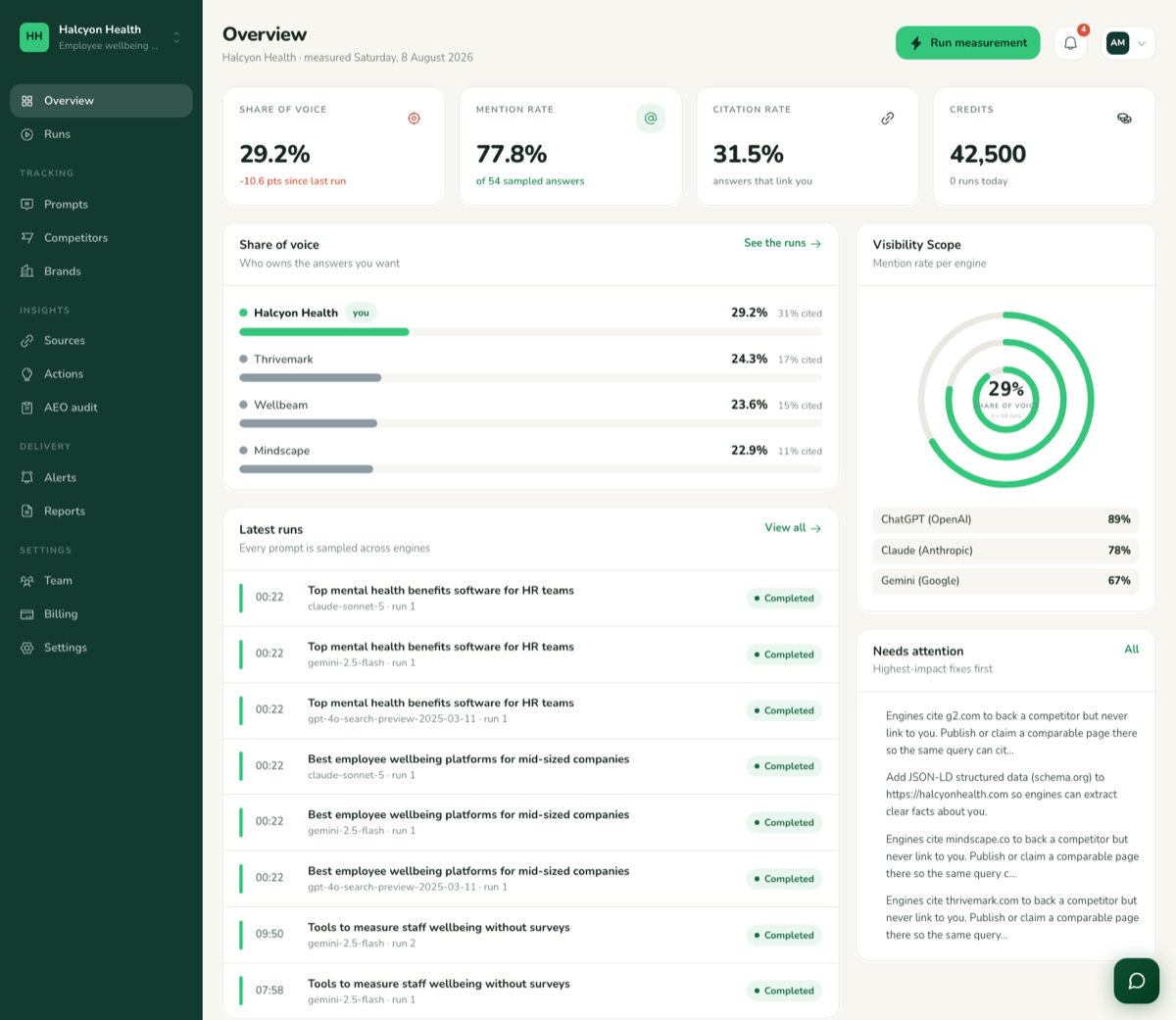
The overview shows headline figures for the most recently measured day: share of voice against your named competitors, mention rate per engine, and the highest-impact fixes. It always reports the latest completed measurement, so it stays populated between runs.
- Mention rate
- How often an engine named your brand across all runs of all prompts. 40% means four answers in ten mentioned you.
- Citation rate
- How often the answer linked to a page on your own domain. Being mentioned and being cited are tracked separately.
- Share of voice
- Your mentions as a share of all mentions of you and your competitors together. The visibility scope draws this as rings.
- Sample size
- The number of answers behind each figure. Small samples move a lot; treat a change as real once it persists across runs.
Prompts
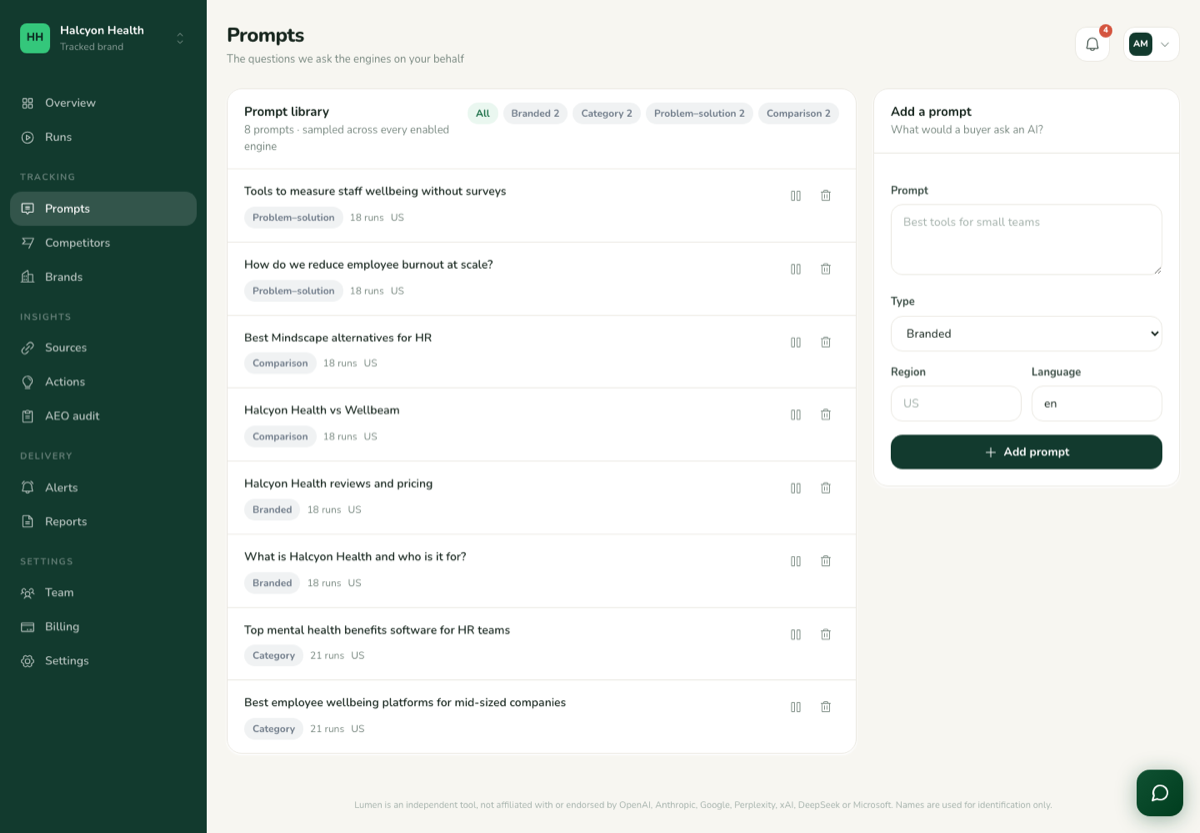
Prompts are the questions your buyers actually type into an AI assistant. They are what gets sent to the engines, so this list defines everything else you see. Four types are supported:
- Branded. Questions that name you: "Is Alzaro AI worth it?" Measures how engines describe you.
- Category. Generic buying questions in your space: "Best project management tool for agencies." Measures whether you come up at all.
- Comparison. You against a rival: "Acme vs Globex." Measures how you are positioned head to head.
- Problem-led. The pain behind the purchase: "How do I stop missing client deadlines?" Measures whether engines route that need to you.
Add, edit or pause prompts at any time. A paused prompt keeps its history but is left out of the next measurement, which is the cheapest way to try a new set without losing the old one.
Runs
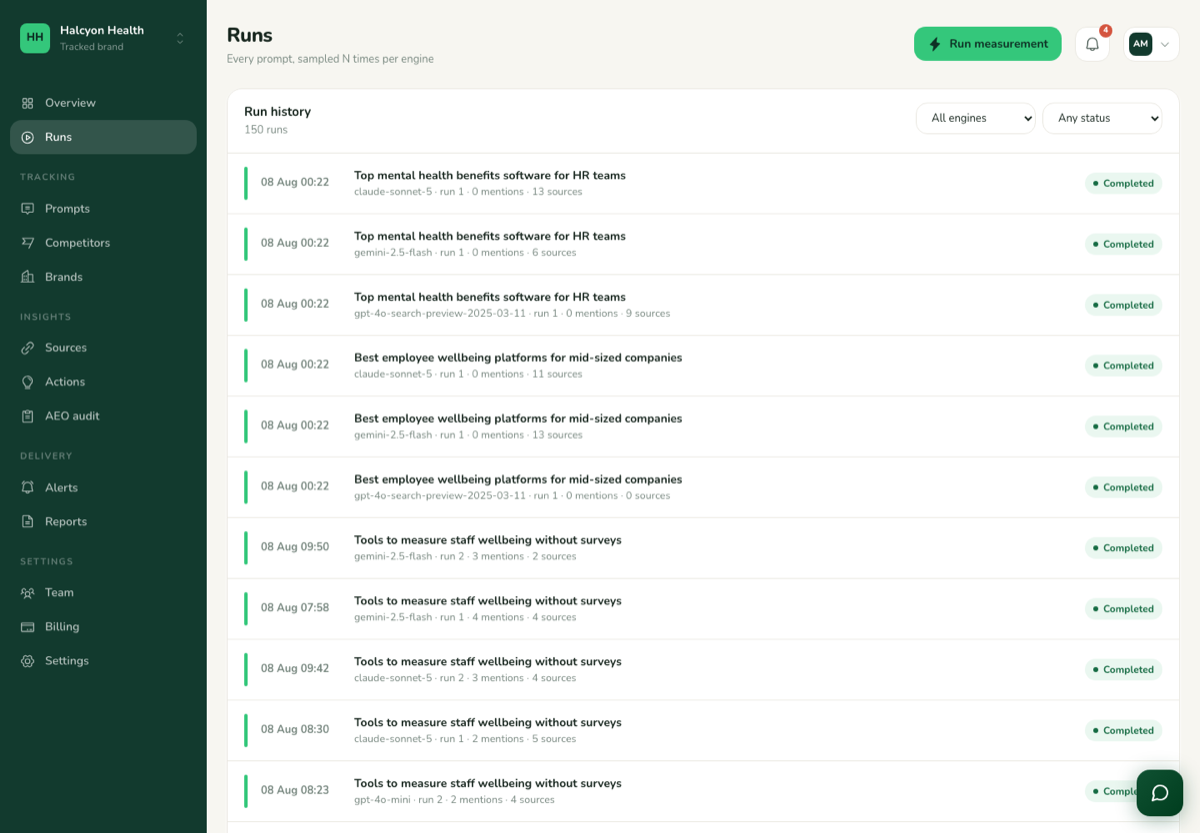
A run is one answer from one engine to one prompt. Because AI answers vary between identical questions, each prompt is asked several times per engine and every one is kept. The list shows the engine, the run number and whether you were mentioned or cited. Open a run to read the full answer text, with your brand, your competitors and every linked source highlighted inside it.
A run that failed shows the reason the engine gave. It is not charged, and the next measurement tries again.
Sources
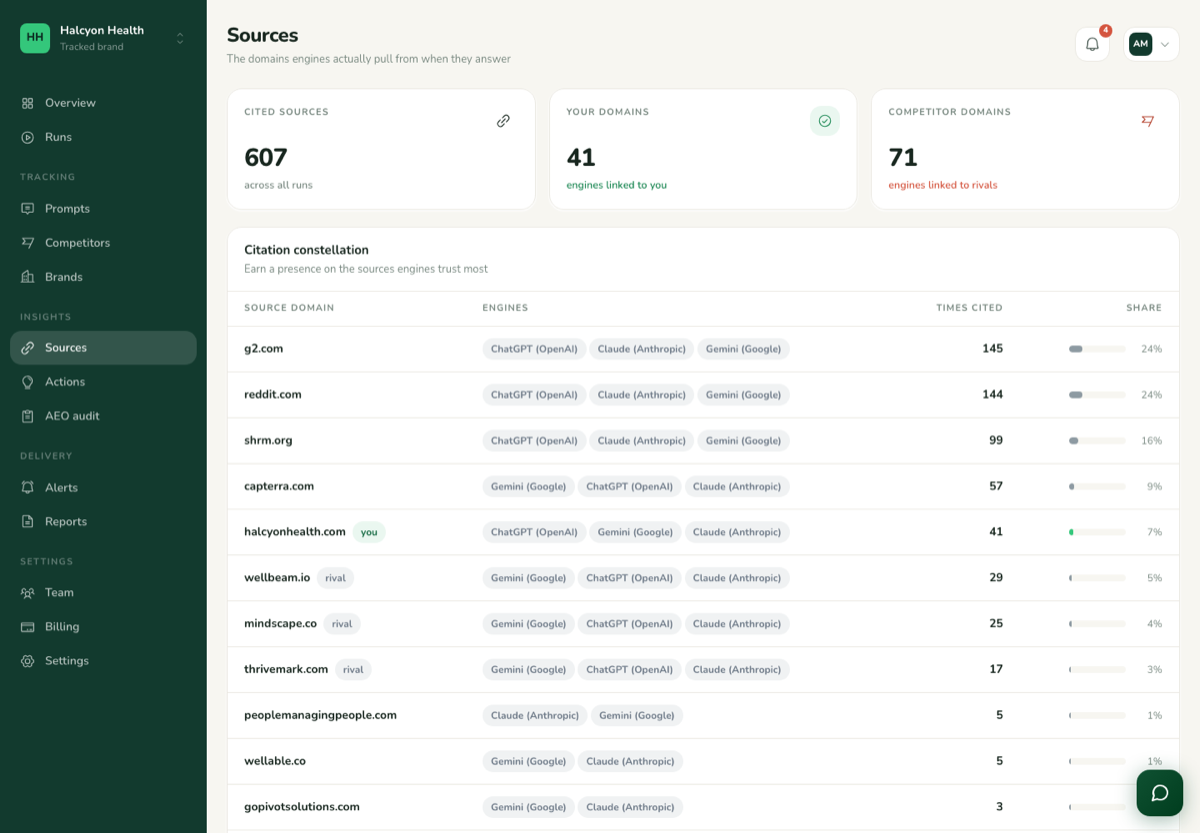
The domains engines actually cite when answering your prompts, ranked by how often they are pulled in, with your own domain highlighted. This is the most actionable screen in the product: a review site, directory or publication that keeps appearing here is a page worth earning a place on, because the engines already trust it for your category.
Competitors
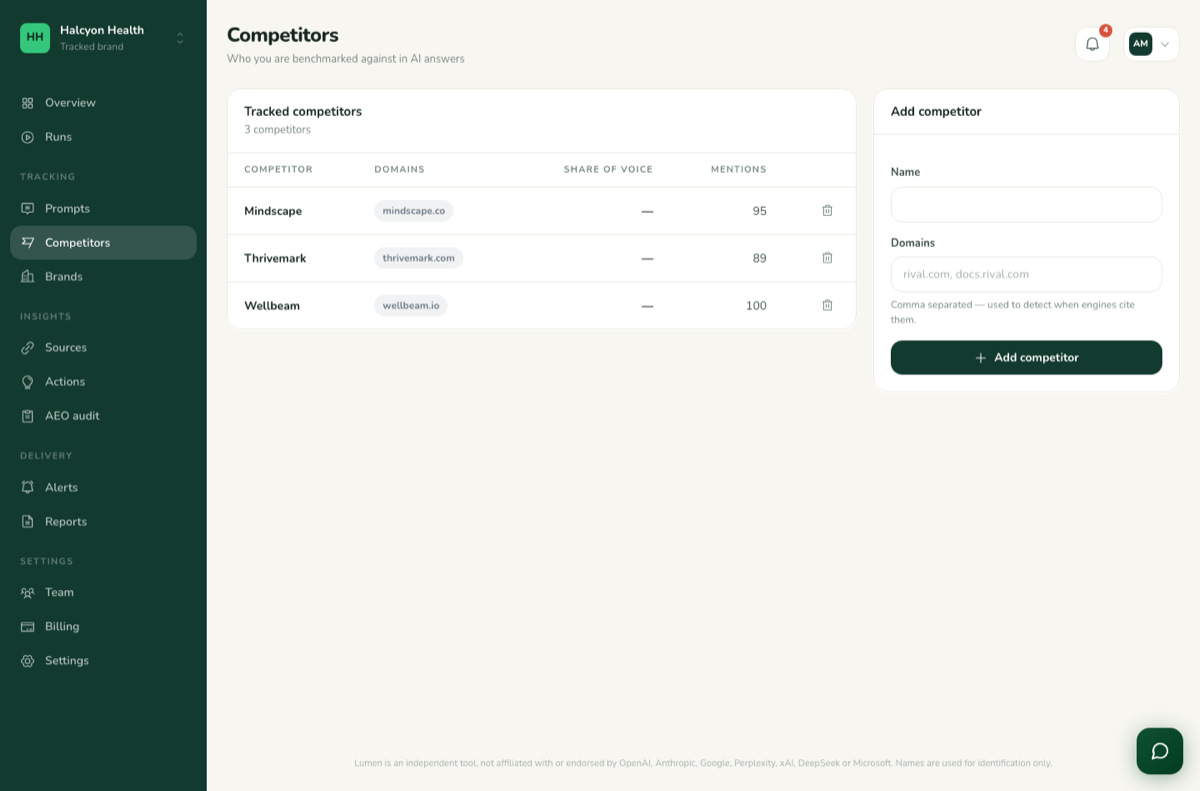
Name the rivals you care about and every answer is scanned for them too. The competitors screen shows each one's share of the answer space beside yours, per engine, so you can see who the assistants reach for instead of you and on which kinds of question. Competitors are counted only when named, so include the spellings and short names people actually use.
AEO audit
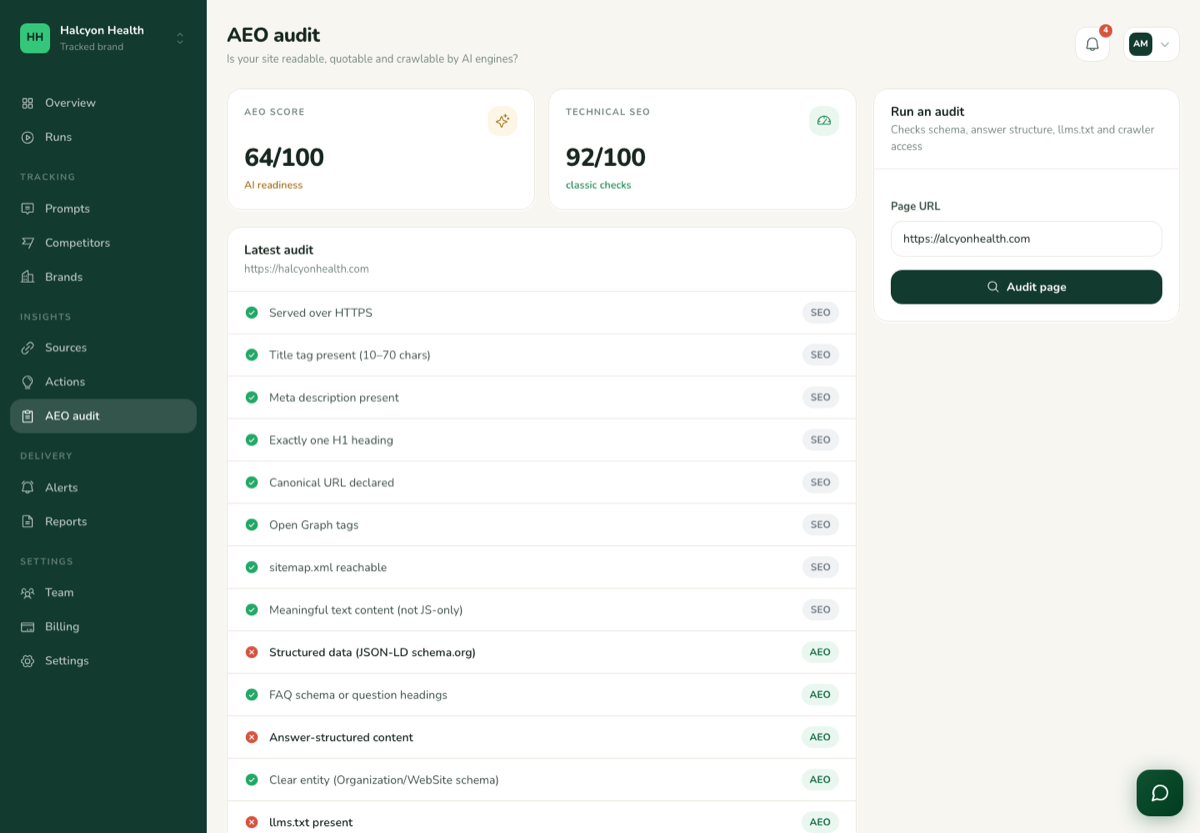
Answer engine optimisation (AEO) is the site-side half of the picture: whether your pages are built in a way AI crawlers can read and quote. The audit fetches your site and scores it out of 100 across four areas, with each failing check explained.
- Schema markup. Structured data that tells engines what a page is about.
- Answer structure. Headings, direct answers and FAQ blocks an assistant can lift.
- llms.txt. A plain-text summary of your site written for language models.
- Crawler access. Whether robots.txt lets the AI crawlers in at all.
Audits are on demand and do not use credits. Re-run one after publishing a fix to confirm it took.
Actions
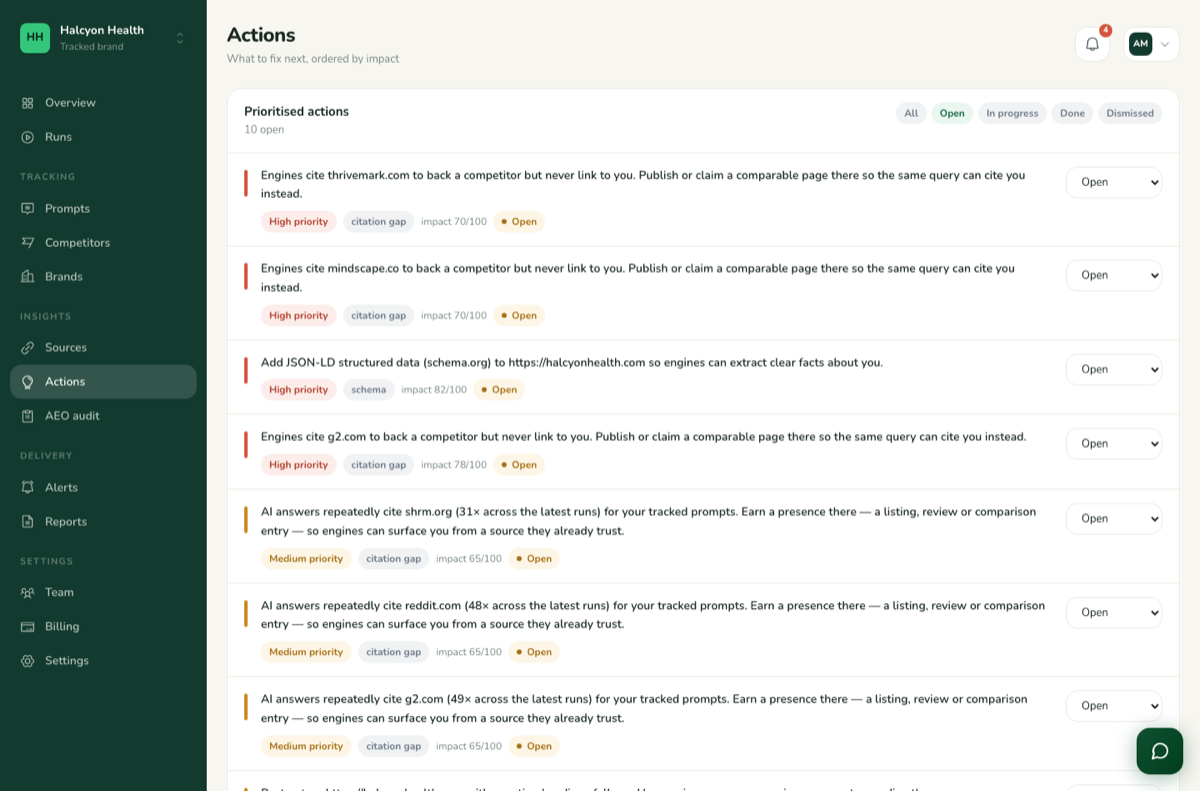
Everything the measurements and audits found, turned into an ordered list of work with the highest-impact item first: a source to get listed on, a page to restructure, a prompt type where a competitor wins. Mark an action done or dismissed as you go; the list is rebuilt after each measurement, so anything that has stopped mattering drops off by itself.
Alerts, reports and team
Alerts
Get an email when something changes: share of voice drops by more than a threshold you set, a measurement finishes, or your credit balance runs low. Create as many as you like under Alerts; each one names the condition and the address it goes to.
Reports
A PDF of the overview, competitors, sources and actions for a period, carrying your logo and name. Generate one on demand or schedule it weekly or monthly to be emailed to you or to a client.
Team
Invite colleagues by email. Owners manage billing and members, admins change prompts and competitors and run measurements, and viewers can read everything but change nothing. Invitations expire after 14 days.
Credits and billing
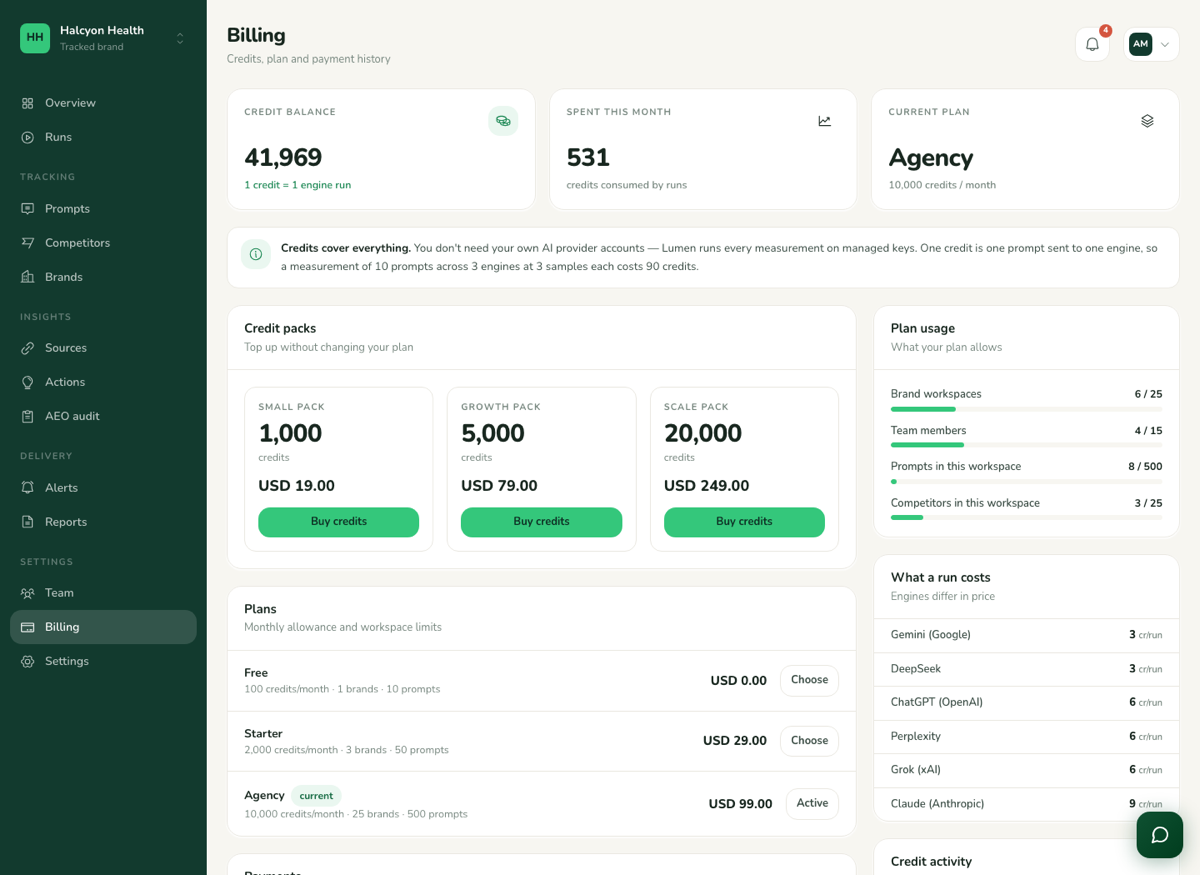
Measurements are paid for in credits. One credit is one prompt sent to one engine once. A measurement of 20 prompts across 4 engines with 10 samples each uses 20 × 4 × 10 = 800 credits. Some engines cost more than one credit per prompt; the billing page lists the rate for each.
Your plan includes a monthly credit allowance and limits on brands, seats, prompts and competitors. The billing page shows the balance, how much of each limit is used, and lets you buy extra credit packs that never expire. Audits, reports and alerts do not use credits.
The mobile app
Every workspace screen is available in the Alzaro AI app for iOS and Android: the overview, prompts, runs with the full answer text, sources, audits, actions, alerts, reports, team and billing. Sign in with the same email and password you use in the browser; every number is computed by the same system, so the app and the web always agree.
Download the app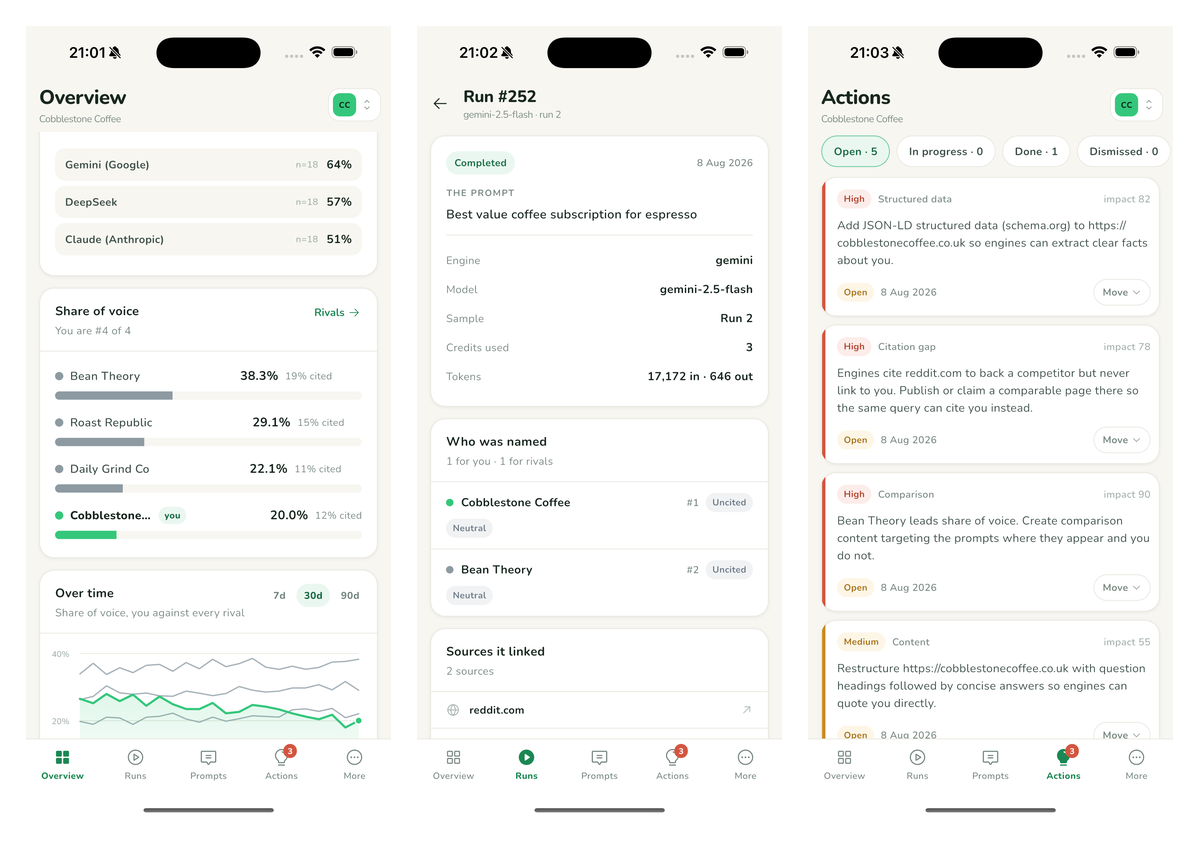
Reading the numbers
Why does every figure show a sample size?
AI answers vary between identical questions, so a single reading would be misleading. Each prompt is asked several times per engine and every figure is reported with the number of answers behind it. Trust a change once it holds across two or three measurements, not after one.
Where do the answers come from?
Every engine is queried through that provider's official, documented API, the same way an app built on it would be. Nothing is scraped from Google or from any AI interface.
Why is the overview empty or showing zeros?
No measurement has completed yet. Run one from the overview; it reports the most recently measured day, so once you have a completed run it stays populated between measurements.
My measurement has been running for a while.
Runs are processed in the background, a few at a time, so a large prompt list across several engines can take some minutes. Results appear under Runs as they arrive. If nothing has appeared after half an hour, contact support and tell us the brand and the time you pressed run.
"Insufficient credits"
The measurement you asked for costs more than your balance. Buy a credit pack under Billing, pause some prompts, or disable an engine to bring the cost down.
Common questions
Rank trackers measure blue links on a results page. Alzaro AI measures the answer itself: whether an assistant names your brand, whether it links to you, and which sources it used to decide.
Weekly is enough for most brands. Engines change slowly, and a weekly cadence gives a clear trend line without spending credits on noise. Measure again sooner after a big content change.
Yes, up to the number of brands your plan allows. Each brand has its own prompts, competitors, runs and reports, and you switch between them from the brand menu at the top of the workspace.
Generate a PDF report under Reports and send it, or schedule it to be emailed to them automatically. Alternatively, invite them as a viewer under Team.
The engines your plan includes, as listed on the billing page. Typically ChatGPT, Claude, Gemini, Perplexity, Grok and DeepSeek. Each shows separately on the overview, because they answer differently.
Your prompts are sent only to the AI providers being measured, in order to obtain their answers. Results, competitors and reports are visible only to members of your workspace.
Did not find what you needed?
Send us a message. Include the brand and roughly when it happened and we can usually answer in one reply.